
The Fixed Price repricing method allows you to set a static price for your item that will not change regardless of shifts in the competitive environment.
Why use Fixed Price rather than disable repricing?
Even when the "Fixed Price" method is selected, Feedvisor will continue to analyze the competitive landscape for those items and include this data in your advanced reports. The algorithm’s ability to constantly learn even while in Fixed Price mode means that once you revert to another repricing method, such as 'Buy Box Optimization', it can quickly adjust the price according to the competitive environment. Disabling repricing for an item will prevent this data collection.
How to set an item on Fixed Price
For individual items, use the product Slider
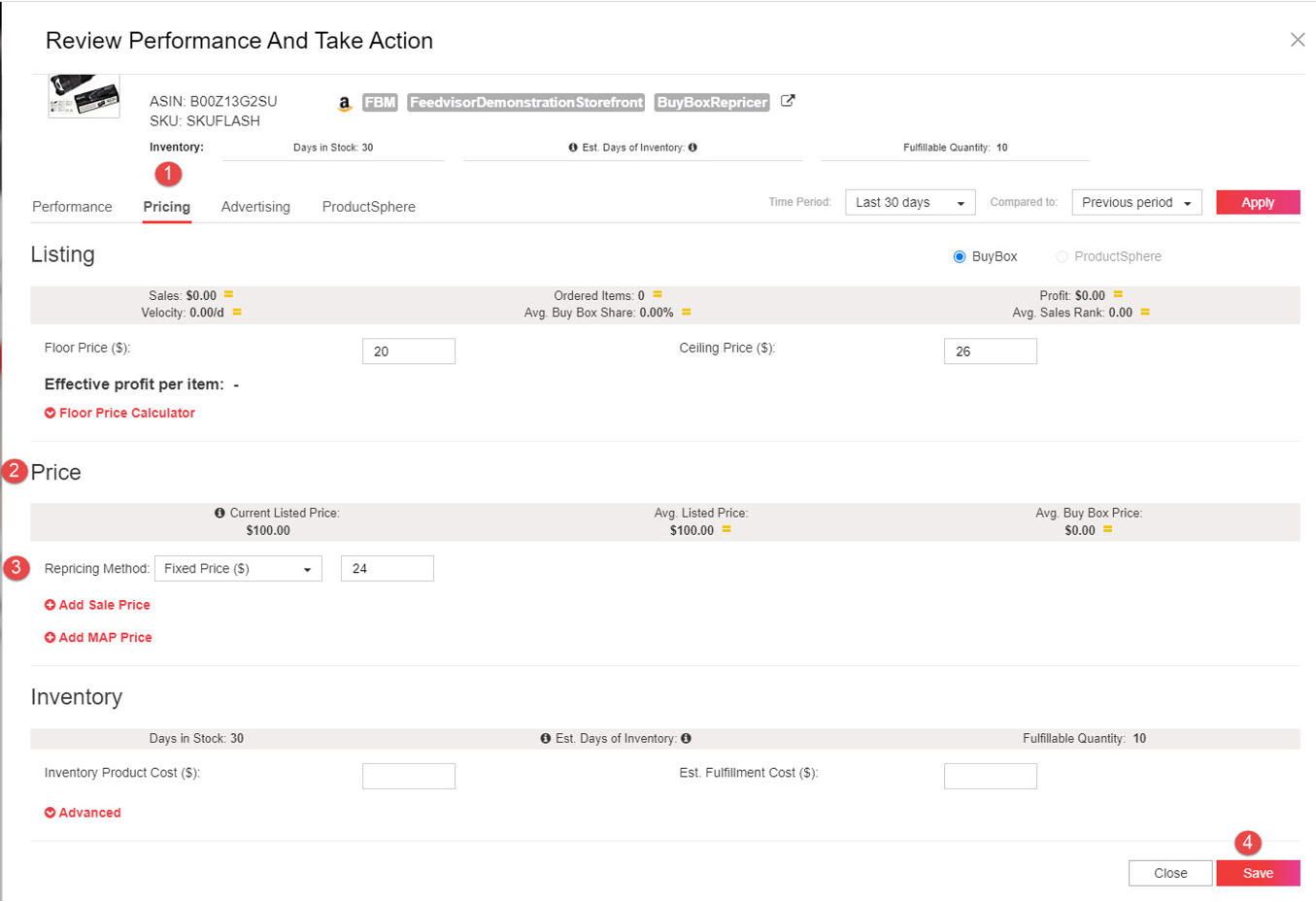
Under the Pricing tab, the Price Section, choose Fixed Price from the drop-down, and enter the desired price in the adjacent field.
For multiple items in bulk
-
Export the Inventory & listing configuration file
-
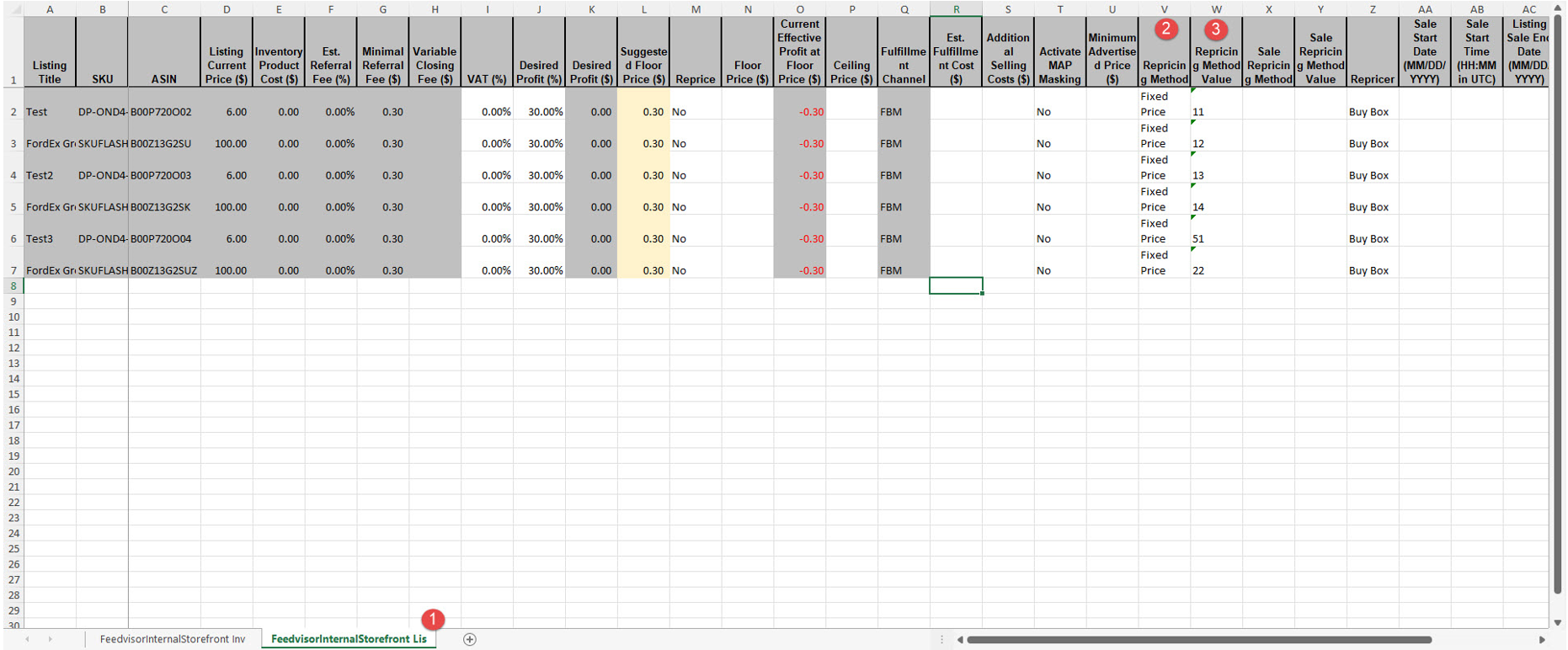
Click on the Listing sheet
-
In column Repricing Method, choose Fixed Price
-
In column Repricing Method Value, set the desired price
-
Save the file and import it.
Comments
0 comments
Please sign in to leave a comment.