
Feedvisor uses your set Item Cost to calculate your profit among other elements, so in order to start setting cost structures and price ranges, you'll need to insert the cost of your inventory.
Once your account is populated with your storefront inventory, you are able to export a file which in turn will allow you to insert the cost of your SKUs.
The Export & Import article can be found here.
-
Export an Inventory & Listings Configuration File
-
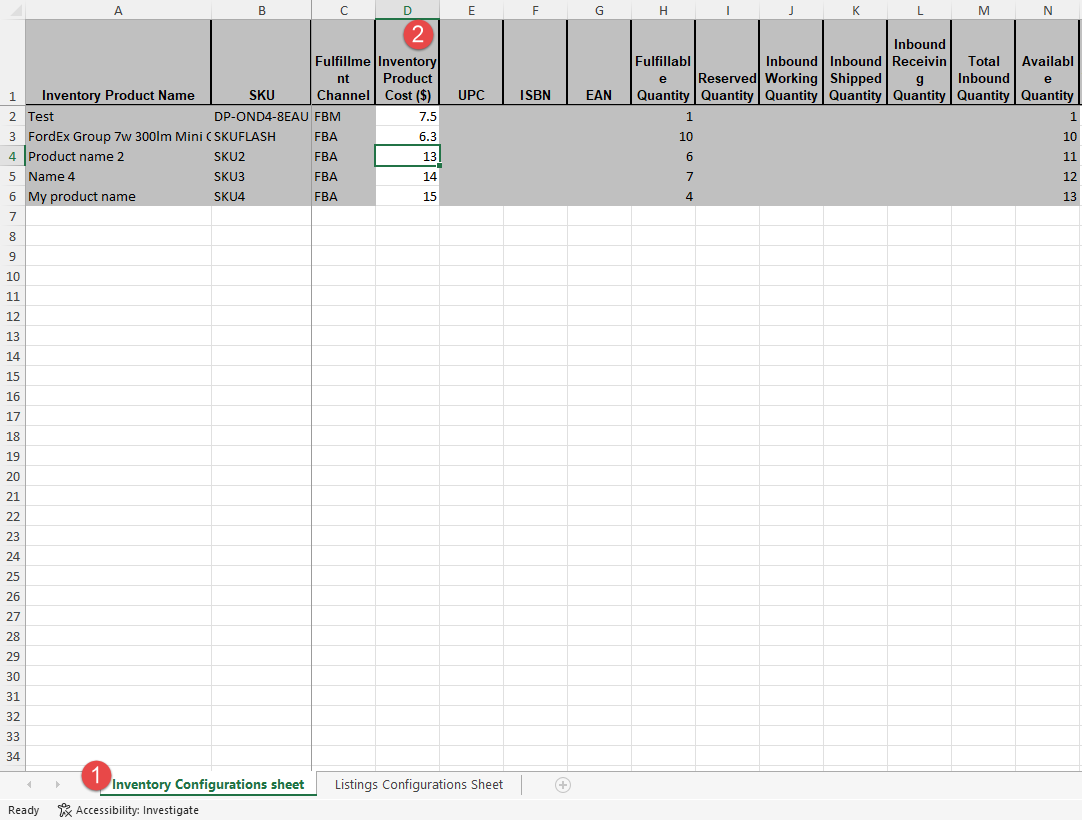
Open the Inventory Sheet
- Update your Product Costs per listing under column D "Inventory Product Cost ($)"
- Save your changes
- Import the file and review the Result file.
- Costs are now visible on the Inventory & Listings Configuration File and the Product Slider.
* Profits are not calculated retroactively so remember to update your costs for each new listing.
Comments
0 comments
Please sign in to leave a comment.