
Export the relevant Type of File:
-
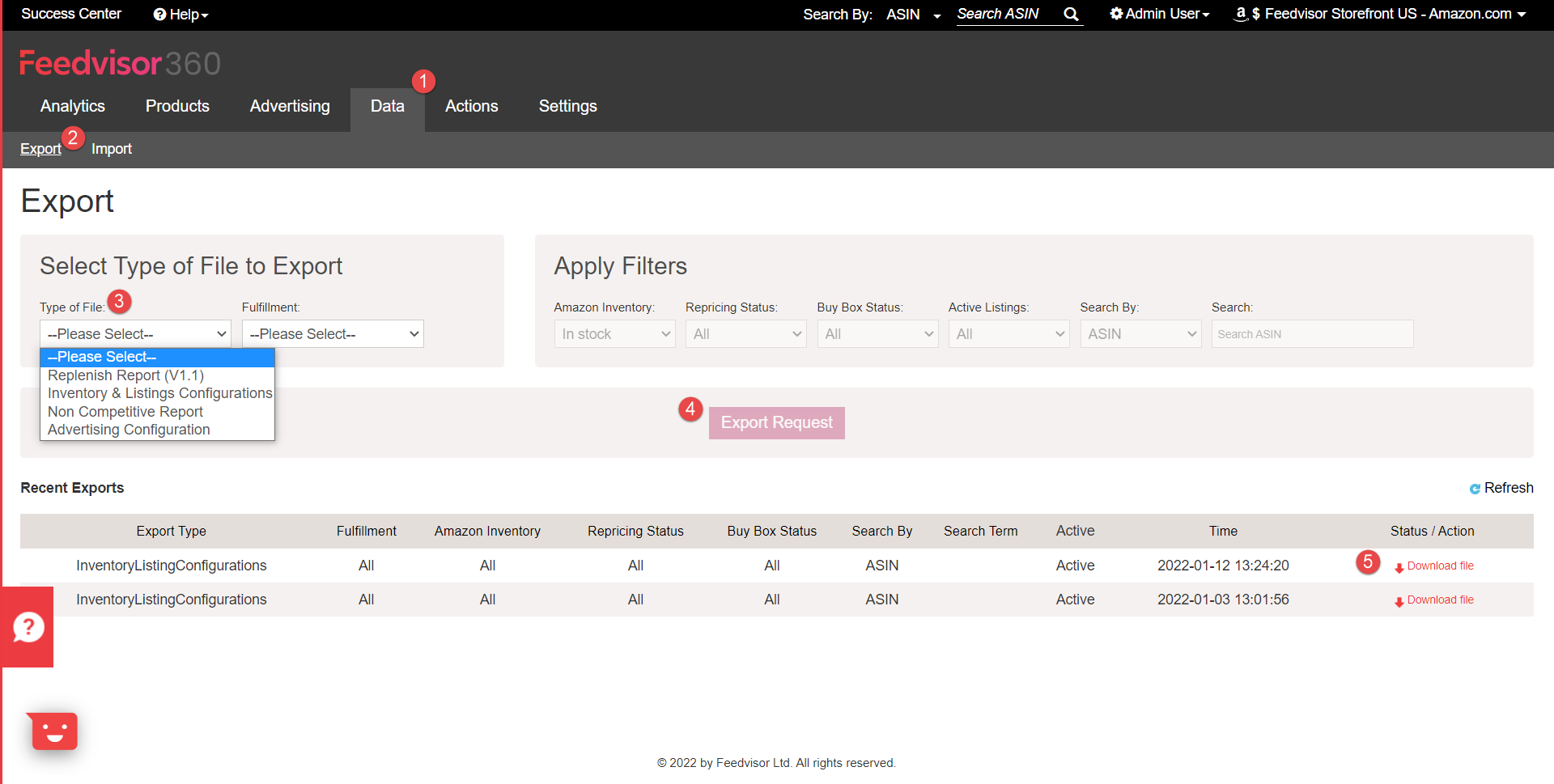
Click on the Data tab
-
Click on the Export sub-tab.
-
Select the Type of file.
-
Click on the Export Request Button.
-
Click Download File at the bottom-right corner once the Export is ready
Apply the relevant changes to your file
- Open the file
- Update your configurations
- Save the file locally on your computer
-
Do not alter the column header names.
-
Do not add extra columns or cells.
-
You can remove any column aside from the ASIN, SKU, and Fulfillment (Listing ID for multi-channel).
Import the File
***Make sure that the column headers are not changed, you can remove any column aside from the ASIN, SKU, and Fulfillment (Listing ID for multi-channel) but do not alter the column names.
-
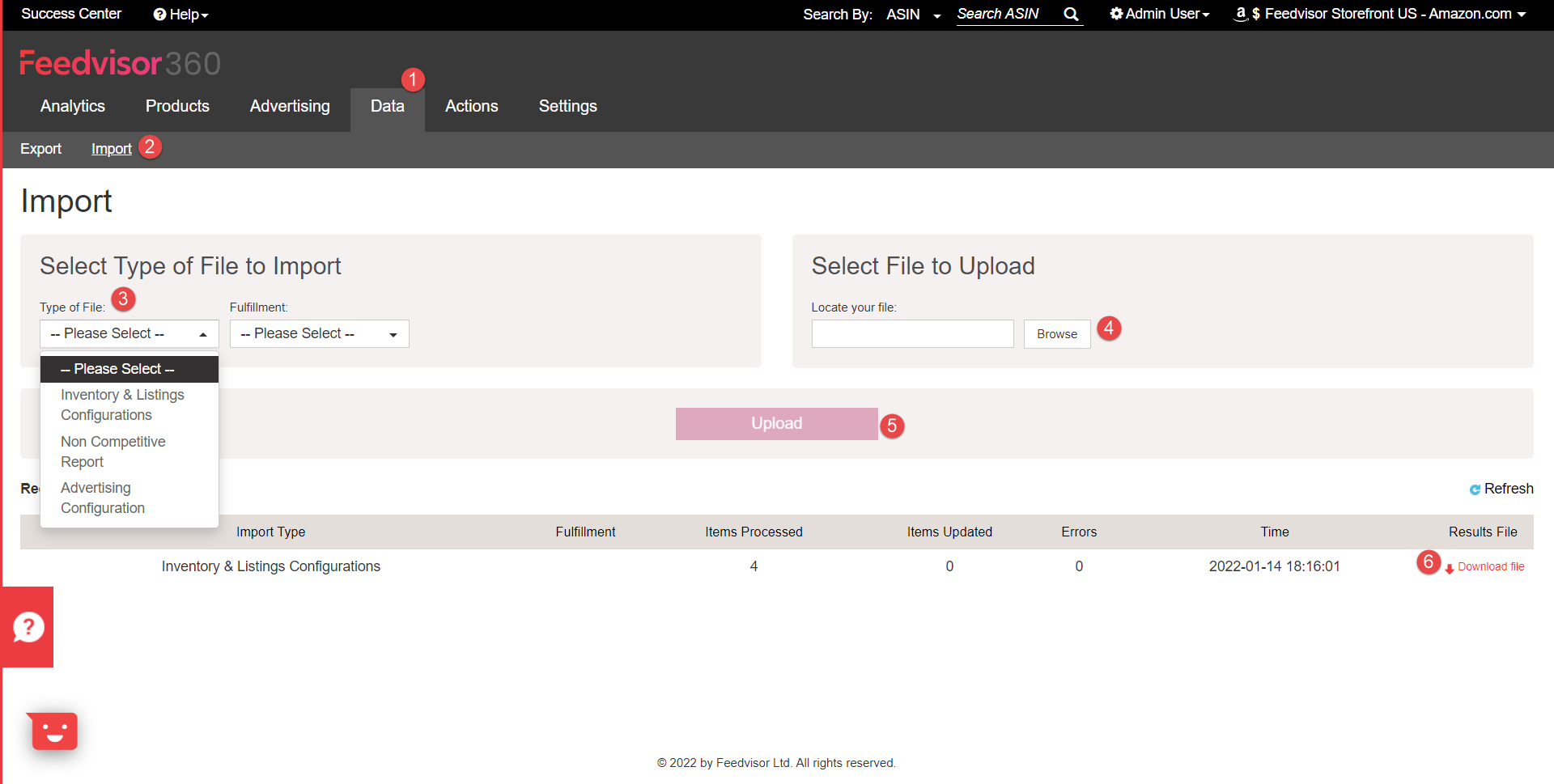
Click on the Data tab
-
Click on the Import sub-tab
-
Select the Type of file you are about to import
-
Click Browse and select the relevant file from your local computer.
-
Click Upload.
-
Click "Download File" at the bottom-right corner once the Import is finished, to fetch the Results File.
Comments
0 comments
Please sign in to leave a comment.