
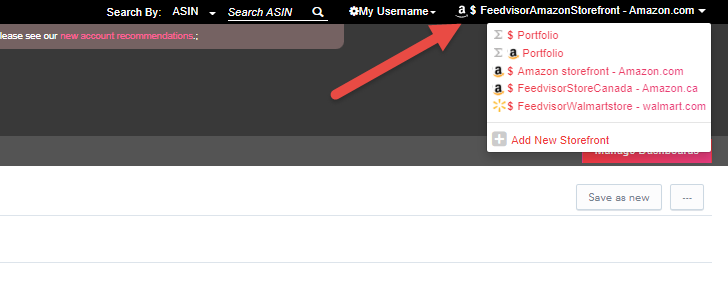
- Click on the currently selected storefront name on the top right corner of your dashboard and click the "Add New Storefront" element:
-
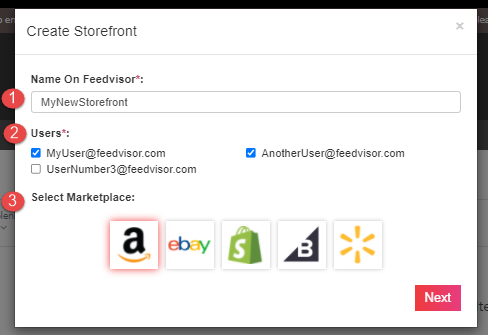
- Insert the name of your new storefront
- Select which user will have access to this new store
- Select the Marketplace under which you would like to create the new storefront
- Click Next
For each marketplace, there are different steps to follow so please select the relevant section to navigate to its article from the list below:
- Amazon
- Walmart
- eBay
- Shopify
- BigCommerce
Comments
0 comments
Please sign in to leave a comment.