
There could be several reasons as to why you have not won the Buy Box, including but not limited to the options below.
No Buy Box on the Amazon Product Page aka BUY BOX Suppressed.
A detailed article on the topic can be found here.
The most common reason is that Amazon has “suppressed” the Buy Box on product pages where the price from third-party sellers is above the List Price (MSRP).
* Click here to read about repricing behavior when there is no Buy Box.
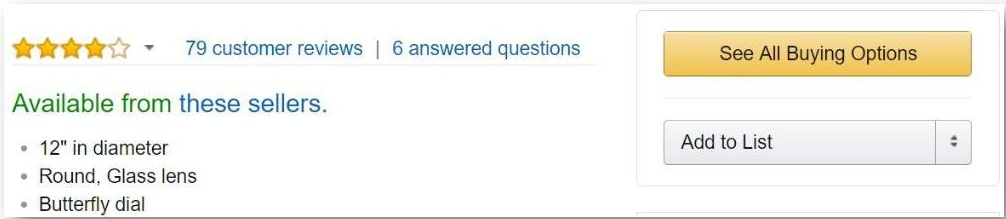
If the Buy Box has been suppressed, Amazon will display a “See All Buying Options” button in its place as shown in the image below:

Non-competitive price
Feedvisor considers a price to be noncompetitive when the average Buy Box price falls below your Floor Price since this prevents our algorithm from reducing the price any further in order to remain competitive. In this case, the Product Trends section of the product slider would look similar to this:

Even if the average Buy Box price is equal to your floor price or slightly higher, your seller metrics (Fulfillment Channel, Feedback, Ratings, etc.) may not be sufficient to win the Buy Box at that price. In this case, the Product Trends section of the product slider would look similar to this:

The item is out of stock
Anytime you run out of stock on an item, you will become ineligible to win the buy box on that item.
You can quickly check both the repricing and in-stock status of your items by navigating to
Actions tab -> Repricing tab-> Details tab, as shown below:

Comments
0 comments
Please sign in to leave a comment.