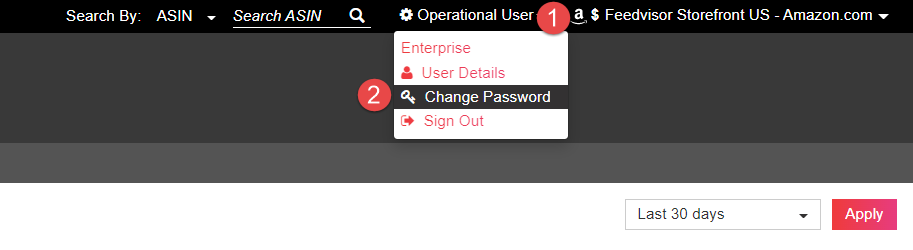
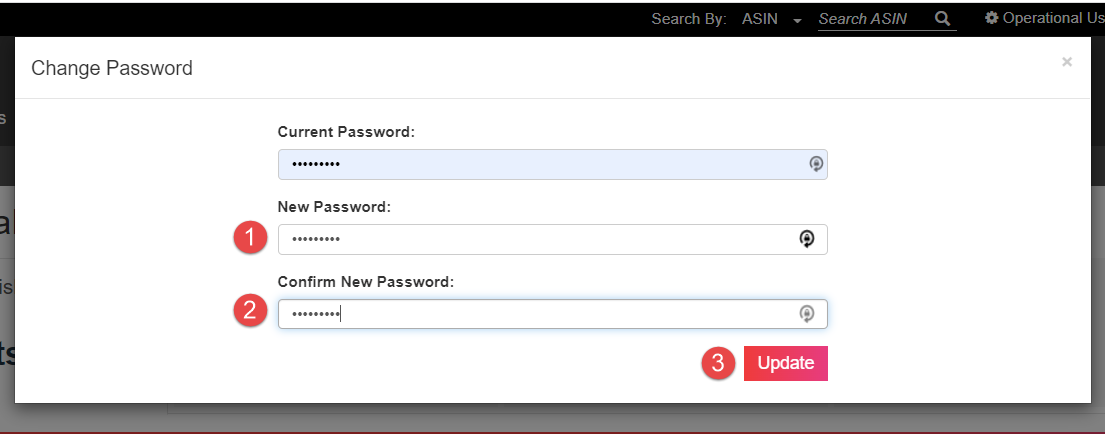
How Do I Change My Password? Aleksey Smolyarov January 15, 2022 15:56 Updated Follow Click on your Username (Upper right side of the Dashboard) Click on the Change Password button Enter your new password in the New Password field Re-enter your New password in the Confirm New Password Field Click Update Related articles How Can I Add a New User? What Is FBM? Comments 0 comments Please sign in to leave a comment.


Comments
0 comments
Please sign in to leave a comment.